
Making Tax Digital explained – what HMRC is trying to achieve (and why it matters)
Making Tax Digital (MTD) has been talked about for so long that it’s easy to forget what it’s actually for. Beyond the deadlines, pilot schemes and penalty point headlines, HMRC is trying to change how the UK tax system works at a fundamental level.
This guide offers a just
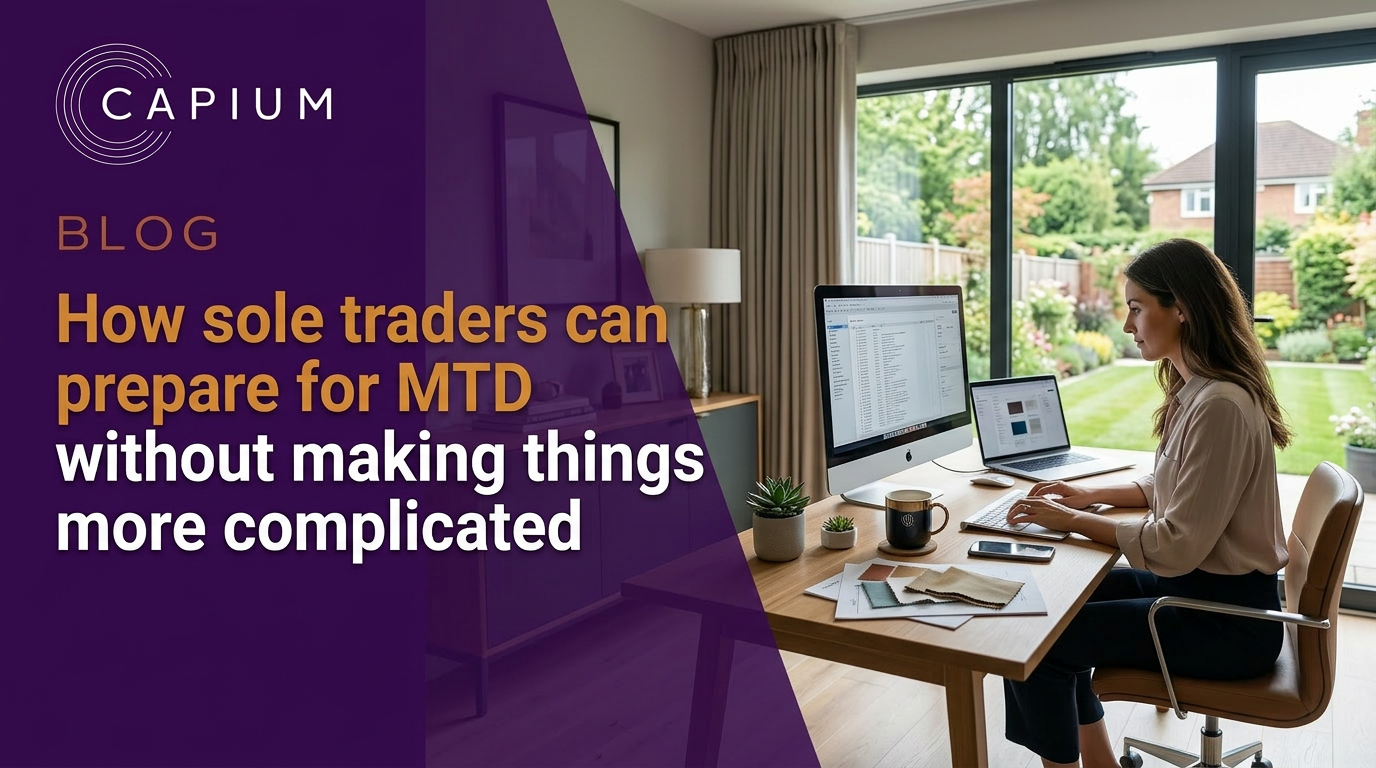
How sole traders can prepare for MTD without making things more complicated
Making Tax Digital can sound like a major shake-up – especially for sole traders who’ve spent years managing their tax affairs in a way that works for them. Spreadsheets, paper records, a once-a-year self assessment tax return… if it isn’t broken, why fix it?
The good news is that preparing for MTD for income tax doesn’t have to mean reinventing your entire tax process. With a few considered steps, sole traders can get ready for tax digital reporting without adding unnecessary complexity.
Start by understanding what MTD actually changes
Making Tax Digital isn’t about paying more income tax or changing how taxable income is calculated. It’s about how income and tax expenses are recorded and reported within the UK tax system. Making Tax Digital is part of the UK government’s initiative to modernize the tax system and reduce errors in tax reporting.
For sole traders with qualifying income from business income or property income – including rental income – MTD introduces digital record keeping and quarterly reporting. MTD for Income Tax will become mandatory for sole traders with a gross income (total income before expenses) over £50,000 starting from April 2026. Qualifying income refers to gross income from self employment and property, which determines if you need to comply with MTD. Instead of relying solely on one annual self assessment return, income tax information is built up digitally across the tax year and confirmed in a final declaration. MTD for Income Tax means moving from the traditional Self Assessment return to a digital tax system, where digital for income tax reporting replaces the yearly self assessment return. Making Tax Digital will fundamentally change how sole traders record and report their tax information, shifting from paper or manual processes to digital tax reporting.
Understanding that distinction early helps avoid over-preparing or adopting tools you don’t actually need yet.
Move towards digital records at your own pace
One of the most practical ways to prepare is to start keeping digital records, even before MTD applies to you. Creating digital records of business transactions using digital tools, such as cloud-based platforms for small businesses and sole traders, cloud accounting software or OCR technology, is essential for compliance and can simplify your workflow.
That doesn’t mean abandoning everything overnight. Many small business owners begin by gradually moving away from paper accounting records and towards digital accounting. Automating data entry with digital tools can significantly reduce the workload involved in bookkeeping under MTD. This could be as simple as storing sales receipts digitally, maintaining electronic records of income and tax expenses, and keeping bank statements organised in one place. By keeping digital records throughout the year, sole traders can gain a clearer view of their business finances and improve tax planning.
If you currently accept cash payments, recording those digitally at the point of sale can make a big difference later. The aim is accurate digital accounting records that reflect taxable income sources clearly, not perfection from day one. If you use spreadsheets for your existing records, you can continue to do so, but to comply with MTD, these must be linked to bridging software for digital submission to HMRC. Routine weekly reconciliations of bank transactions can also prevent the buildup of a backlog at the end of each quarter.
Separate business and personal finances
If there’s one change that consistently makes MTD preparation easier, it’s separating business finances from personal ones.
Using a separate business bank account – rather than a personal bank account – makes income tax recording far simpler. Business income, tax expenses, and associated costs are easier to track, and bank statements become a reliable source of financial data rather than something that needs heavy explanation at year end. Using digital tools alongside a dedicated business bank account can further simplify bookkeeping and help prevent mixing personal and business transactions.
For landlords, the same applies to landlord financial records. Keeping property income and expenses clearly separated reduces friction when quarterly updates and final tax calculations come into play.
Choose software that supports how you work
This is often where things feel more complicated than they need to be.
It is important to choose MTD-compatible software that meets government standards and supports Making Tax Digital compliance, as this is a legal obligation for sole traders. Sole traders must use MTD-compatible software to manage their digital records and submit their tax information.
Some sole traders assume MTD means immediately adopting full accounting software. In reality, preparation can start with tools that match your current setup, such as flexible Making Tax Digital software solutions that support both spreadsheets and full cloud bookkeeping.
If you already use spreadsheets to track income and expenses, bridging software may be enough initially – as long as it connects your records to HMRC using MTD-compatible software and maintains digital links. You must use MTD-compatible software to keep digital records and submit tax information online. There are both free and paid software options available for Making Tax Digital compliance, and the GOV.UK website lists all currently available MTD-compatible software.
Others may find that an accounting software solution provides more clarity. Software providers offer a range of MTD software solutions, and spending money on the right software can help automate tax calculations and reduce administrative burdens. The right accounting software can help calculate taxable income digitally, estimate how much tax is due, and provide an updated tax bill estimate throughout the tax year.
The key is choosing MTD compliant software that supports income tax requirements without forcing you into a system that feels too heavy for your business. Dedicated MTD for Income Tax software can simplify quarterly submissions, while broader MTD-compatible accounting software helps you manage VAT and income tax in one place. Sole traders should start preparing for MTD now by checking their income levels, reviewing their bookkeeping practices, and choosing compatible software.
Get comfortable with quarterly updates – without overthinking them
Quarterly reporting deadlines are often the biggest concern for sole traders. Under MTD rules, sole traders must keep digital records and submit quarterly updates to HMRC. Submitting quarterly updates sounds like four extra tax returns, but that isn’t the case.
MTD requires sole traders to submit four quarterly updates and a final year-end declaration each tax year, replacing the single yearly tax return. The first quarterly update is due by the 7th day of the month following the end of the quarter. Quarterly updates are summaries of business income and tax expenses. They don’t include other taxable income, personal allowances, or adjustments. They also don’t generate a final tax bill.
It’s important to note that tax payment deadlines remain unchanged under MTD. Sole traders will still pay their tax bill once a year, even though reporting is now more frequent. However, if you are VAT registered, you also need to comply with MTD for VAT software requirements for your VAT submissions. Failing to submit quarterly updates on time can result in penalty points, and accumulating too many points may lead to fines.
Getting comfortable with the idea of submitting quarterly updates – even as a dry run – can help demystify the process. Using MTD-compatible software can automate tax calculation and help ensure timely submissions. Over time, it also makes the final declaration easier, as fewer adjustments are left until the end of the tax year.
Keep the bigger picture in mind
MTD is part of a broader effort to reduce the tax gap and modernise the tax system. It aims to improve accuracy in tax reporting and reduce errors by requiring regular updates to HMRC. For sole traders and self employed people, MTD encourages better financial habits by promoting regular tracking of income and expenses. The long-term benefit is clearer visibility of income tax throughout the year, rather than a single calculation after the self assessment tax return is submitted.
Preparing gradually helps avoid last-minute changes and keeps your tax affairs manageable. Voluntary adoption of MTD tools 6–12 months before the mandatory start date can help businesses test automation and resolve issues early. Participating in HMRC’s public beta for MTD allows businesses to test their software with reduced penalties for late submissions during the first year. It also gives you time to find the right accounting software expert or MTD hub for accountants if you need additional support. You can explore dedicated Making Tax Digital resources and guides to stay up to date with rule changes and best practice. You can also choose to have an accountant manage your MTD submissions on your behalf.
Navigating making tax digital with confidence
Preparing for Making Tax Digital doesn’t need to add pressure or administrative burden. Small, sensible changes – keeping digital records, separating business finances, and choosing the right accounting software solution – can make the transition far smoother.
Capium’s MTD compatible accounting software is designed to support sole traders through every stage of the tax process. From accurate digital record keeping and quarterly reporting to final declarations and income tax compliance, Capium helps simplify tax digital for income without overcomplicating how you run your business.
simple summary of Making Tax Digital explained – what HMRC is trying to achieve and why it matters for accountants, tax agents and the small businesses you support.
What is Making Tax Digital?
At its core, Making Tax Digital (often shortened to MTD) is HMRC’s plan to move the tax system away from paper records and manual processes, towards a fully digital system.
Under the new rules, businesses and individuals with qualifying income will need to:
- Create digital records of income and expenses, ensuring each transaction’s value, date, and HMRC category of allowable expenses are recorded to meet MTD obligations
- Use MTD compatible software that is HMRC-recognised and fit for purpose or tax digital software that is commercially available and HMRC-approved
- Submit quarterly digital updates to HMRC using MTD compliant software, replacing the traditional annual tax return or self assessment tax return for those above the MTD threshold
- Complete a period statement and a final declaration at the end of the tax year
Quarterly digital updates are now a core requirement, meaning that instead of submitting an annual tax return or self assessment tax return, those above the relevant threshold must report income and expenses every quarter and make a final declaration at year end.
Making Tax Digital for Income Tax is a new approach designed to help customers avoid errors and make submitting tax returns easier. From 6 April 2026, MTD for Income Tax will apply to anyone with qualifying income above £50,000 per year from self-employment or property. Qualifying income includes gross income before expenses from all relevant sources, such as sole trader and property activities. The relevant threshold is based on your total annual income from self-employment and property combined. Landlords and self-employed individuals with qualifying income above £50,000 must comply with Making Tax Digital from 6 April 2026.
MTD obligations require you to keep digital records that show the value and date of each transaction and specify the HMRC category of allowable expenses. Under MTD, quarterly digital updates must be submitted to HMRC using MTD compliant software, and annual self assessment tax returns will be replaced by quarterly reporting and a final declaration. You must use commercially available, HMRC-approved MTD compliant software for Making Tax Digital for Income Tax.
MTD already applies to VAT registered businesses above the VAT threshold, with MTD for VAT software used to submit VAT returns via compatible software using digital links. The next major phase is tax digital for income tax – referred to as MTD for Income Tax or MTD ITSA.
What HMRC is trying to achieve
HMRC’s stated aim is simple enough – fewer mistakes, better visibility and a smaller tax gap. HM Revenue and Customs (HMRC) is aiming to improve the accuracy and timeliness of tax information through MTD obligations, requiring taxpayers to keep digital records and submit quarterly updates for self-employment and property income.
The aim of Making Tax Digital is to spread the workload across the year and reduce the pressure of the end-of-year tax deadline.
Better visibility means that more timely tax information helps HMRC issue accurate tax bills and monitor compliance, including late payment penalties for non-compliance. The reality is more nuanced.
The number of individuals affected by Making Tax Digital is expected to rise to almost 3 million by spring 2028 as lower-income individuals are brought into the system, so accountants need to track key MTD for Income Tax dates and deadlines carefully.
1. Reducing errors through digital record keeping
HMRC estimates that billions are lost each year through avoidable errors rather than deliberate evasion. Paper records, manual rekeying and spreadsheet workarounds all increase risk.
By requiring businesses to keep electronic records and use digital record keeping software, HMRC believes fewer mistakes will be made when figures flow directly from source data to tax returns. Using a dedicated bank account for business income and expenses can further simplify record-keeping and help meet Making Tax Digital requirements.
This is why digital links matter, and why bridging software is only seen as a transitional solution rather than the end goal.
2. Getting more timely data
Under Income Tax Self Assessment, HMRC often waits until well after the accounting period ends to see what’s happening. Quarterly submissions change that.
By requiring businesses to submit quarterly digital updates of business income and expenses, HMRC gains earlier insight into income sources, property income, self employment profits and income streams that are reported separately, such as the Construction Industry Scheme. These quarterly digital updates must be submitted just over one month after each quarter ends, with the first quarter ending on 5 July 2026 due by 7 August 2026. To meet these deadlines, you must use MTD-compliant software for timely submissions. Logging receipts and invoices regularly will simplify the process of sending quarterly updates to HMRC and help ensure compliance.
This doesn’t mean quarterly updates are tax bills – accounting adjustments, tax reliefs and final tax calculations still happen at year end. But HMRC gets a clearer picture of the economy in real time.
3. Modernising tax administration
MTD is also about long-term tax administration. HMRC wants a new system that is scalable, digital by default and easier to integrate with software providers, supported by MTD-compatible accounting software that streamlines digital compliance. Reliable internet access is important for using cloud-based MTD software, and you should ensure your chosen software is compatible with your device.
The end vision is a digital system where taxpayers can view income, expenses, tax records, penalties and liabilities in one place, and where tax agents can manage client tax affairs more efficiently. You can manually create digital records for transactions from unlinked accounts or cash payments.
Who Making Tax Digital affects next
The upcoming changes that matter most to accountants are tied to MTD for Income Tax, but they sit within the wider context of Making Tax Digital and HMRC’s digitalisation programme.
From the start date, individuals and businesses with gross income over the qualifying income threshold from self employment and/or property income will need to comply. This includes:
- Sole traders
- Landlords with property income
- Small businesses previously outside digital reporting
- Some individuals with multiple income sources
The MTD threshold (also referred to as the relevant threshold) is £50,000 in qualifying income. Qualifying income includes gross income from self-employment, property business, and rental income from UK property. This means self employed individuals, sole traders and landlords, and those with employment income above the threshold are legally required to comply, and many will benefit from MTD for business tools that simplify record keeping and collaboration with accountants. Only income from salary, dividends, or specific allowances may be exempt, and limited companies are not currently required to comply. Some groups are automatically exempt, such as those without a national insurance number, certain disabled individuals, and those with care relief.
HMRC will check the gross income as declared on your Self-Assessment tax return to determine if and when you must join Making Tax Digital. If your gross rental income is above £50,000, you must comply from 6 April 2026 unless you qualify for an exemption. You can apply to HMRC for an exemption if it is not reasonably practical for you to use digital tools.
You should start preparing for Making Tax Digital by familiarizing yourself with the new system and signing up for the testing programme if possible.
Corporation tax is not yet within scope, but HMRC has made clear that MTD will eventually extend further across the tax system, building on the latest developments and pilot phases of Making Tax Digital.
What actually changes under MTD for Income Tax
For affected taxpayers, the biggest shift is behavioural rather than technical.
- Record keeping becomes continuous, not annual
- Digital tools replace paper records and spreadsheets
- Quarterly updates replace one annual submission
- Final declarations replace traditional self assessment.
You must use MTD-compliant software to submit quarterly updates and the final declaration to HMRC. Bridging software can be used to link a simple spreadsheet that details all your transactions directly to HMRC. Many software providers offer free trials, so you can test a few options before committing. Premium MTD-compliant software typically costs about £5 to £8 per month. Even with quarterly updates, you will still need to submit a final tax return by 31 January after the end of the tax year.
Instead of one income tax self assessment return, businesses submit:
- Quarterly submissions (income and expenses send to HMRC). HMRC uses the information from these quarterly updates and the final declaration to calculate your tax bill.
- A period statement confirming totals
- A final declaration confirming all income, reliefs and adjustments.
Late submission penalties and penalty points apply for missed deadlines, reinforcing HMRC’s push for regular compliance.
Why this matters to accountants
MTD isn’t just a compliance exercise – it reshapes how accountants add value and creates new opportunities described in more detail in what Making Tax Digital may mean for accountants.
Better conversations, earlier
With digital records updated quarterly, accountants can spot issues earlier – cashflow pressures, rising tax bills or missing expenses. That enables proactive advice rather than retrospective fixes.
Software becomes strategic
Choosing software is no longer just about accounts production. Record keeping software, MTD software and accounting software now sit at the centre of the client relationship, so many practices are weighing up why Capium’s MTD software is a smart choice for accountants.
Clients need guidance on software choices, whether that’s full accounting software, own MTD compatible software or transitional bridging software during the testing phase.
This is where platforms like Capium’s Making Tax Digital software fit naturally into the conversation.
Less admin, more advisory (eventually)
While the transition creates short-term workload, HMRC’s goal is fewer year-end corrections, fewer errors and smoother workflows over time.
For firms willing to lean into digital tools and quarterly reporting, there’s a genuine opportunity to move away from pure compliance.
Where we are now
MTD for VAT is live. MTD for Income Tax has been through a pilot scheme, extended testing phase and multiple deadline changes. HMRC is still onboarding software providers and refining guidance.
That uncertainty has caused understandable fatigue – but the direction of travel is clear.
Making Tax Digital is not going away. The UK tax system is becoming digital by default, and accountants sit at the centre of that change.
The bottom line
Making Tax Digital explained simply: HMRC wants better data, fewer mistakes and a modern digital tax system. To get there, it’s reshaping how income, expenses and tax records are kept and reported.
For accountants, the challenge is helping clients navigate new rules, new software and new habits – without drowning them in jargon.
The opportunity is becoming the trusted guide through that change, backed by software that actually supports the way you and your clients work.
If you want to explore how the right digital system can support MTD compliance without adding friction, Capium’s MTD software is designed for just that – and we’re ready to help, with additional options covered in our overview of Capium’s MTD software for VAT, ITSA and corporation tax.